


MeshCore, send messages without internet
What is MeshCore?
MeshCore is a way to send short text messages via LoRa radio. LoRa is designed for short messages over long distances with low power consumption. The key difference with a walkie-talkie is that you don’t need to “hear” each other directly. Nodes can relay messages, allowing you to go further with multiple hops than with a single transmitter.
Think of a relay: your message jumps from node to node until it reaches the recipient.
Why would you want MeshCore?
- No internet required: also works when mobile coverage is lost or not used consciously
- Greater range via repeaters: one well-placed repeater can connect an entire area
- Low power consumption: ideal for battery, powerbank and solar panel
- Community network: together you build a covering network (club, village, event, etc.)
MeshCore is not a replacement for Internet, smartphone and means like Signal. It is intended for simple, robust communication when you don’t want to or can’t use infrastructure.
Actually, a MeshCore device should be standard in an emergency kit ;-)
How does a MeshCore network work?
There are three MeshCore roles:
Repeater (the “bridge” of the network)
- Usually stationary and preferably positioned high up
- Function: listen + forward, must run reliably and 24/7 if possible and preferably powered by a solar panel in combination with a battery
Companion (your “user device”)
- You type and read messages on this
- Can be a handheld node with phone, or a standalone device with screen/keyboard
Room (the “chat room” / meeting place)
Besides Repeater and Companion, there is also a Room node.
- Function: acts as a fixed “chat room” where messages come together in one place, so that multiple users can follow the same conversation (comparable to a channel or group chat)
- Use: handy for a community (e.g. “village”, “event”, “clubhouse”), because everyone knows where the conversations take place
- Placement: like a repeater ideally stable and often on fixed power, but the emphasis is less on “highest spot” and more on “always online”
- Important difference with repeater: a repeater is for the infrastructure (forwarding), a room is not necessary but can be handy
Minimum requirements to create a MeshCore mesh
Minimum working starter set:
- 1 repeater
- 1 or preferably 2 companion nodes, so you can test them among each other with or without the repeater
Recommended hardware setup (of course other hardware is also possible)
Repeater
- RAKwireless RAK4631 & RAK19007: modern, very sensitive and energy efficient!
- Outdoor antenna (preferably sturdy and suitable for 868 MHz): these come in all shapes and sizes
- Short coax/pigtail (shorter = less loss), as few couplings as possible
- Housing (weatherproof)
- Power supply:
- Powerbank or Li-ion/LiFePO4 pack
- Solar panel + charge controller (so it doesn’t stop after 2 days)
Mounting: as high as possible, clear view, away from metal and wet walls
Placement:
- Height almost always wins over “more transmission power”
- A repeater 2-3 meters higher can make more difference than all kinds of settings
Companion node: choice depends on what you want: built-in battery, antenna connection, with or without screen and ease of use
Option A: Heltec v3 LoRa32
- More modern
- Better support by MeshCore
Option B: T-Beam Neo6
- Bluetooth range is significantly better than the Heltec!
- Not energy efficient
- Very handy, use this myself as a fixed node at home, connected via usb adapter
Option C: LilyGo T-Deck Plus (standalone chat device, nice to have)
- Screen + keyboard: feels like a real messenger
- Ideal if you don’t want a phone with it
- Very suitable as “community handheld” at events
Common mistakes (and how to prevent them)
- Repeater placed too low → height and clear line of sight are more important than “another antenna”
- Too long coax → short cables, antenna close to the node or directly outside
- Inside the meter cupboard → walls, concrete and metal kill range
- Wrong expectation → it’s text, no voice, no pictures, no quick chat app
- Too complicated too fast → first get 1 repeater + 2 companions stable, then expand
Does it sound interesting?
That’s great. Difficult? No, not at all. And fortunately there is a rapidly growing MeshCore community that is happy to help if you have any startup problems. There are active MeshCore/Meshtastic WhatsApp groups, there is a Telegram group and there is a lot to find about MeshCore on the Internet!
MeshCore website:
MeshCore Analyzer:

Lots of Mesh info:

WhatsApp group:
MeshNet NL Community:
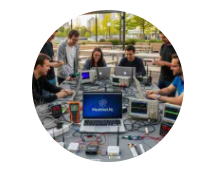
MeshCore communication, fun to experiment with and a great addition to your emergency kit!